Software Studio · Cambridge, MA
Software, milled with care.
We build software for everyday work. Our current project helps teachers organize their classrooms, prepare lessons, and handle parent communication.
Meet TeachrAgentFrom the studio
TeachrAgent
A classroom management toolkit for the entire school year.
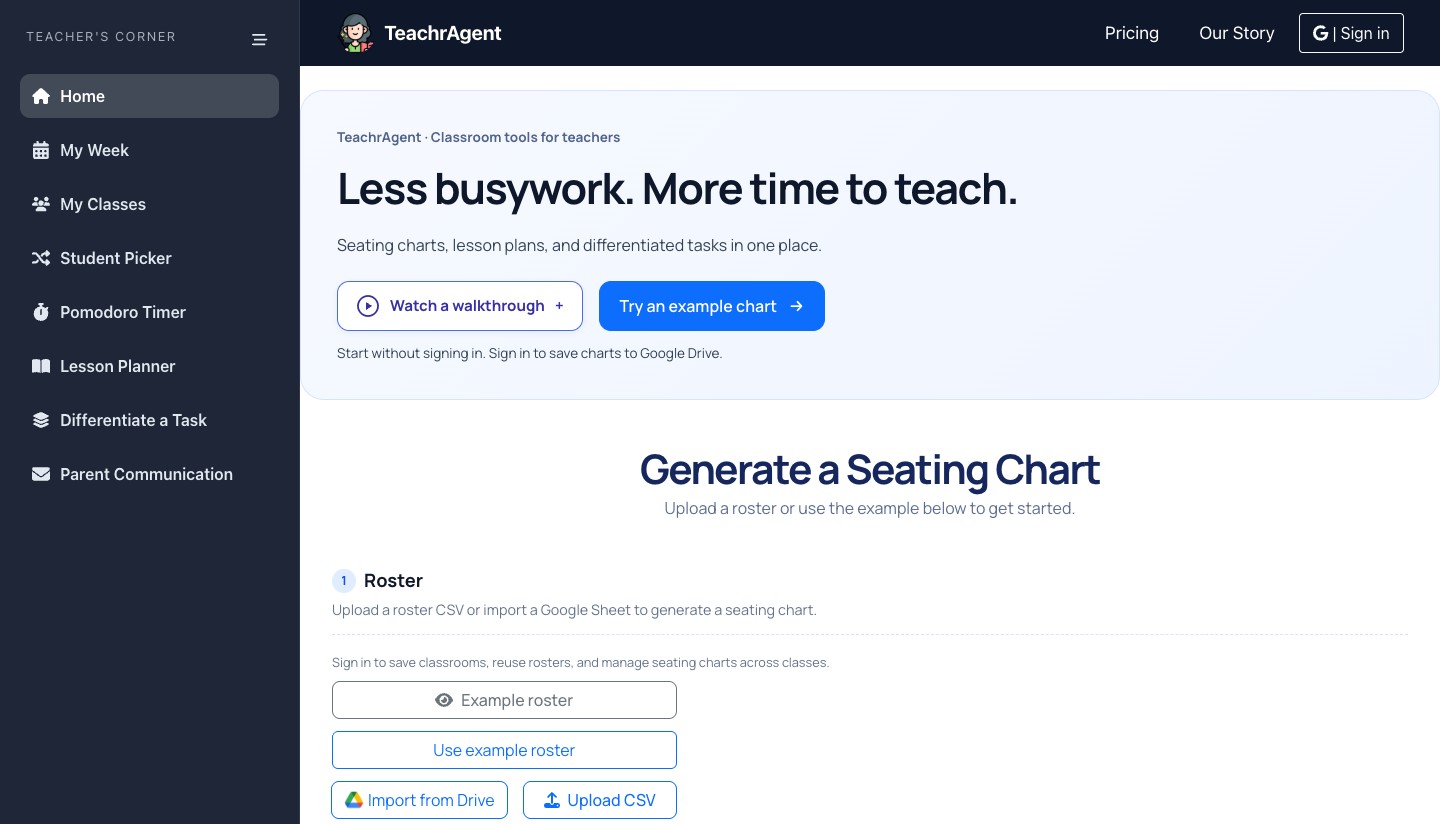
TeachrAgent helps teachers manage their classrooms throughout the school year, bringing seating charts, rosters, lesson preparation, and parent communication into one place, with Google Drive integration to keep classroom files in the teacher’s own account.
- Organize the classroom with seating rules, editable rosters, and a Student Picker.
- Prepare lessons, differentiated tasks, and parent messages with Pro.
- Plan the week, export to Google Docs, and reuse saved work with Pro.
Start free. Add planning tools with Pro.
Free includes seating charts, one classroom, roster tools, Student Picker, and the Pomodoro timer. Pro includes everything in Free, plus balanced seating, unlimited classrooms, and lesson, task, and communication tools.
Compare all Free and Pro features
Free
Also included with Pro.
- Seating chart generator
- Unlimited charts when signed in. Choose students per table or number of tables.
- Seating rules
- Set “Must Sit With” and “Keep Apart” pairs, with explanations when rules cannot be satisfied.
- Manual seat rearrangement
- Drag students between seats and tables after generation.
- Example roster
- Preview, download, or load a fictional roster into the generator.
- Roster input
- Upload a CSV or use a saved classroom’s Google Sheet.
- Save seating charts
- Save PDFs to Google Drive and reopen them from My Classes.
- My Classes
- Manage one classroom, its subject and grade context, linked roster, and saved charts.
- Roster manager
- Create and edit Drive-backed rosters. Import CSVs or Google Sheets and map columns.
- Student Picker
- Pick students without repeats, exclude absent students, and reset the round.
- Pomodoro timer
- Set focus and break durations, completion alerts, fullscreen Flow Mode, and background audio. Also available to guests.
- Teaching profile
- Save school, school year, subjects, grades, and preferred standards to prefill tools.
- Launchpad
- Find tools, an onboarding checklist, daily quotes, and personalized activity nudges.
- Time Saved dashboard
- View personal estimated time savings and community totals.
- Google account integration
- Sign in with Google and keep classroom files in your own Drive.
Pro
Everything in Free, plus these capabilities.
- Balanced seating charts
- Balance gender, academic level, and social style while respecting hard seating rules. Review balance badges and summaries.
- Unlimited classrooms
- Keep separate classroom contexts and switch between them across tools.
- Expanded organization
- Rename classes without the Free restriction, delete classes, and archive or unarchive charts.
- Differentiated Tasks
- Generate Support, Core, and Challenge versions with standards alignment.
- Lesson Planner
- Generate objectives, resources, lesson flow, differentiation, and student handouts.
- Roster-aware assignment sheets
- Assign students to Support, Core, or Challenge groups for tasks and lessons; adjust before printing.
- Parent Communication
- Draft emails or newsletters in informational, celebratory, urgent, sensitive, or reminder tones. Copy the subject, body, or full message.
- Generation history and reuse
- Reopen recent tasks, lessons, and parent messages. Edit inputs and regenerate.
- Google Docs exports
- Save lessons and differentiated tasks as editable Google Docs and reopen exports from history.
- My Week planner
- Schedule saved lessons, drag to reschedule, detect overlaps, and view color-coded classes and holidays across weeks.
- Weekly Prep prompt
- Start Monday from the Launchpad with classroom selection, weekly lesson summaries, and links to planning tools.
Current daily Pro generation limits: 20 differentiated tasks, 10 lesson plans, and 15 parent communications. Signed-in seating-chart generation is unlimited.
The studio
Small tools. Useful work.
Millsoft LLC is an independent software studio in Cambridge, Massachusetts, focused on education and workflow tools.
We start with a specific task, build a working version, and refine it through use. That means spending time on the details: clear controls, reliable backends, and software that is straightforward to maintain.
The founder
Built by Jay Bisa.
Jay Bisa is a software engineer with more than thirteen years of experience in backend architecture, payments, and commerce platforms.
At Millsoft, he brings that experience to smaller, focused products, starting with the classroom planning work behind TeachrAgent.